Release note #9
22-06-2026
Good day,
We’re pleased to announce the latest platform update. This release introduces new automation capabilities for Shipping Instructions, enhancements to transport order communication, dashboard improvements, stronger security, and a number of bug fixes.
Export Booking Module
Automatic Shipping Instruction Creation & Dispatch
Shipping Instructions can now be created and sent automatically when an export order is ready.
Once an export order meets all Shipping Instruction readiness requirements, the Shipping Instruction job is generated automatically without any manual action from the booking agent.
Conditions for automatic processing:
- Booking status is Confirmed
- VGM has been confirmed
- All mandatory fields are completed for:
- Shipper
- Consignee
- Containers
- Bill of Lading details
- Trucking status does not block Shipping Instruction dispatch
If Manually Handle Steps is enabled, Shipping Instructions will continue to require manual processing.
|Note: This automation is disabled by default and can be enabled per customer.
New Dashboard Widget: Ready to Send Shipping Instructions
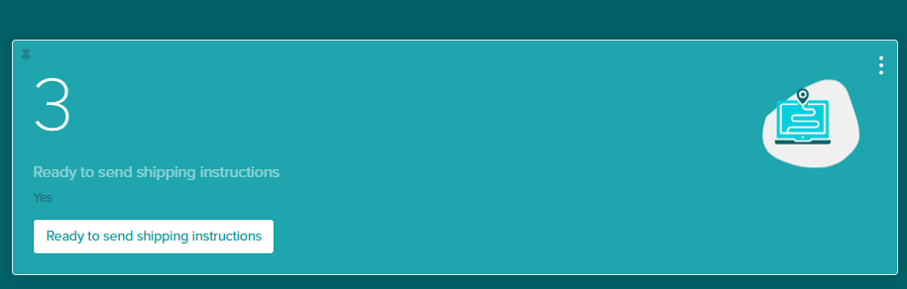
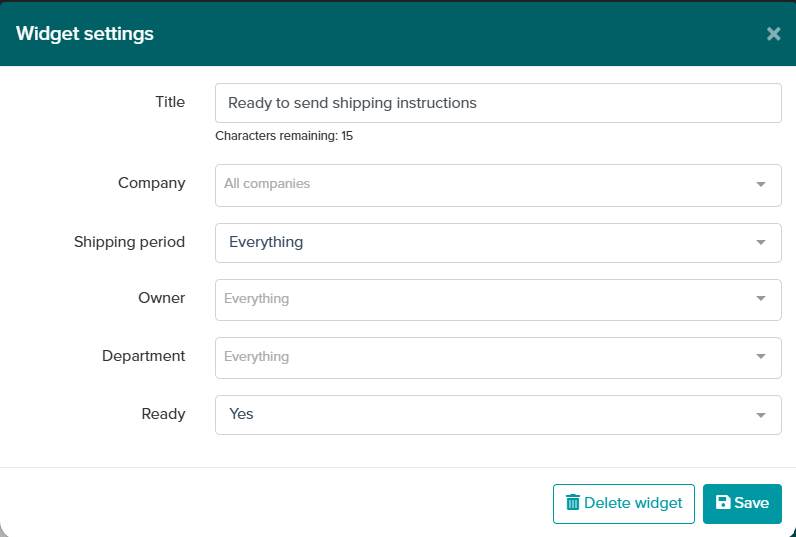
A new dashboard widget provides immediate visibility into Shipping Instruction readiness across all export orders.
The widget displays:
- Yes – Orders that meet all mandatory field requirements and have a confirmed booking
- No – Orders that are not yet ready for Shipping Instruction processing
This functionality mirrors the existing Ready to Send Transport Assignment widget, helping teams identify bottlenecks faster and improve operational efficiency.
Hide Consignee Details in Transport Order Emails
A new customer setting allows Consignee details to be excluded from transport order emails sent to trucking companies.
When enabled:
- Consignee name is hidden
- Consignee country is hidden
This helps protect sensitive customer information and prevents unnecessary sharing of consignee details with transport providers.
Full Port Names Displayed on Transport Orders
Transport orders now display the full Port of Loading and Port of Discharge names instead of UN/LOCODEs.
This makes transport orders easier to read for trucking companies and barge operators, eliminating the need to look up port codes.
Cargo Marks Included on Transport Orders
A new customer setting allows cargo marks to be included in transport order emails.
When enabled, cargo marks are automatically added, providing transport providers with complete cargo identification information and reducing follow-up communication.
Improvements
Containers per Loading Address Widget Improved
The Containers per Loading Address widget has been corrected to group containers using the actual Loading Address (Step 2) rather than the Shipper Address (Step 1).
This improvement is particularly valuable for customers whose physical loading location differs from the shipper’s registered address, resulting in more accurate operational planning and reporting.
Two-Factor Authentication Remembered for 24 Hours
Users with Two-Factor Authentication (2FA) enabled will now remain verified for up to 24 hours within an active login session.
This reduces the need to repeatedly enter authentication codes while maintaining account security.
Bug Fixes
Correct Filter Options in Tasks & Declarations
Resolved an issue where incorrect filter values were displayed in overview tables.
Improvements include:
- Task status filters now display the correct task statuses
- Declaration status filters now display the correct declaration statuses
- Declaration type filters now display the correct declaration types
Improved Performance for Order Logs
Orders with extensive log histories could previously cause loading delays or timeouts.
Pagination has now been implemented for order logs, resulting in:
- Faster loading times
- Improved performance
- No more screen freezes when opening orders with large histories
Empty Pick-Up Depot Notifications Fixed
An issue prevented notifications from triggering when all empty pick-up depots in Step 2 had been completed.
As a result, transport orders were not always sent to truckers as expected.
This issue has been resolved and notifications now trigger correctly.
Schedule Search Functionality Restored
Users were previously unable to search for or update sailing schedules on active orders due to an incorrect system error.
The issue has been fixed and schedule search functionality now operates normally across all orders.
VGM Response Processing Restored
VGM response messages with the statuses Rejected and Acknowledged were being received from carriers but were not processed correctly.
This could cause VGM declarations to remain pending and eventually time out.
The processing flow has been restored, ensuring VGM statuses are updated correctly and reliably.